A UI teardown is the process of reverse engineering a live website into a generated Next.js project — extracting components, design tokens, and structure along the way. Here’s what happens at each stage of the pipeline.
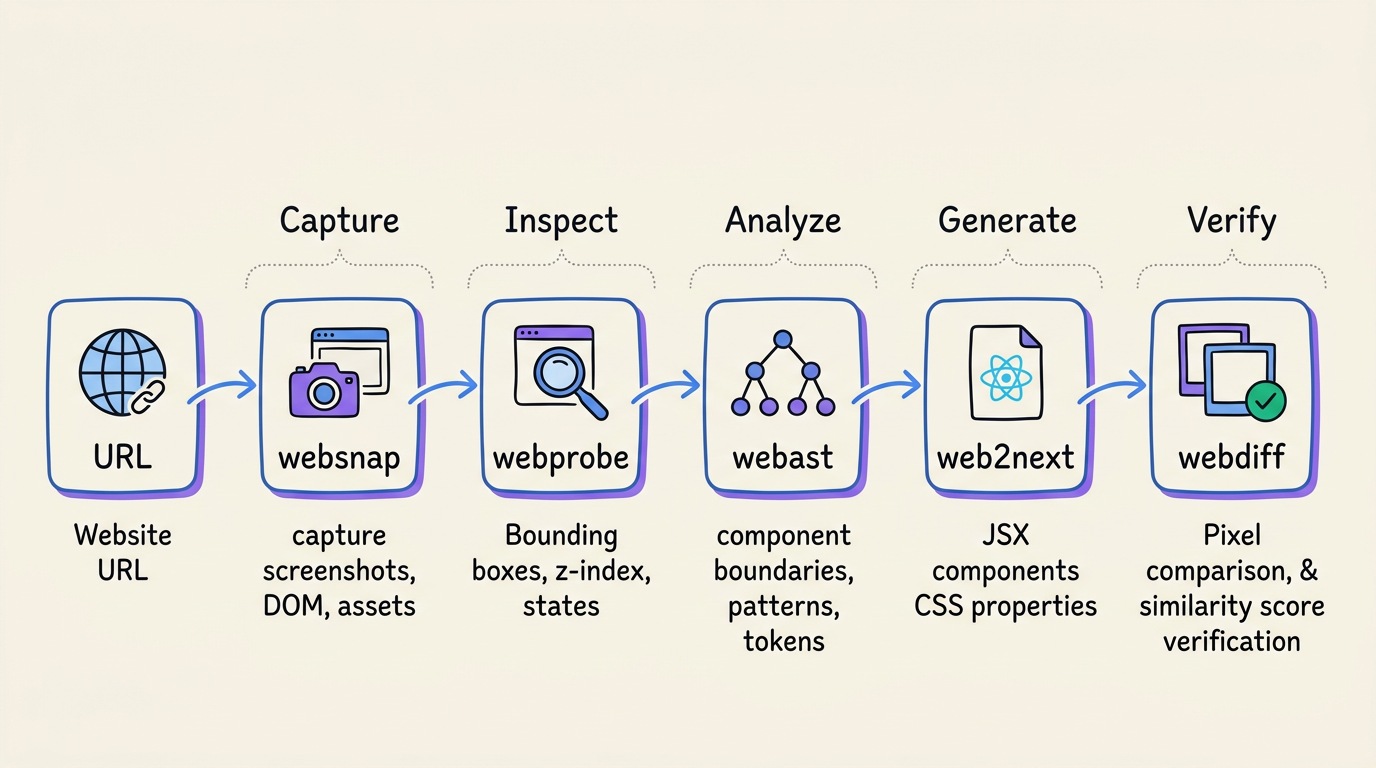
Step 1: Capture
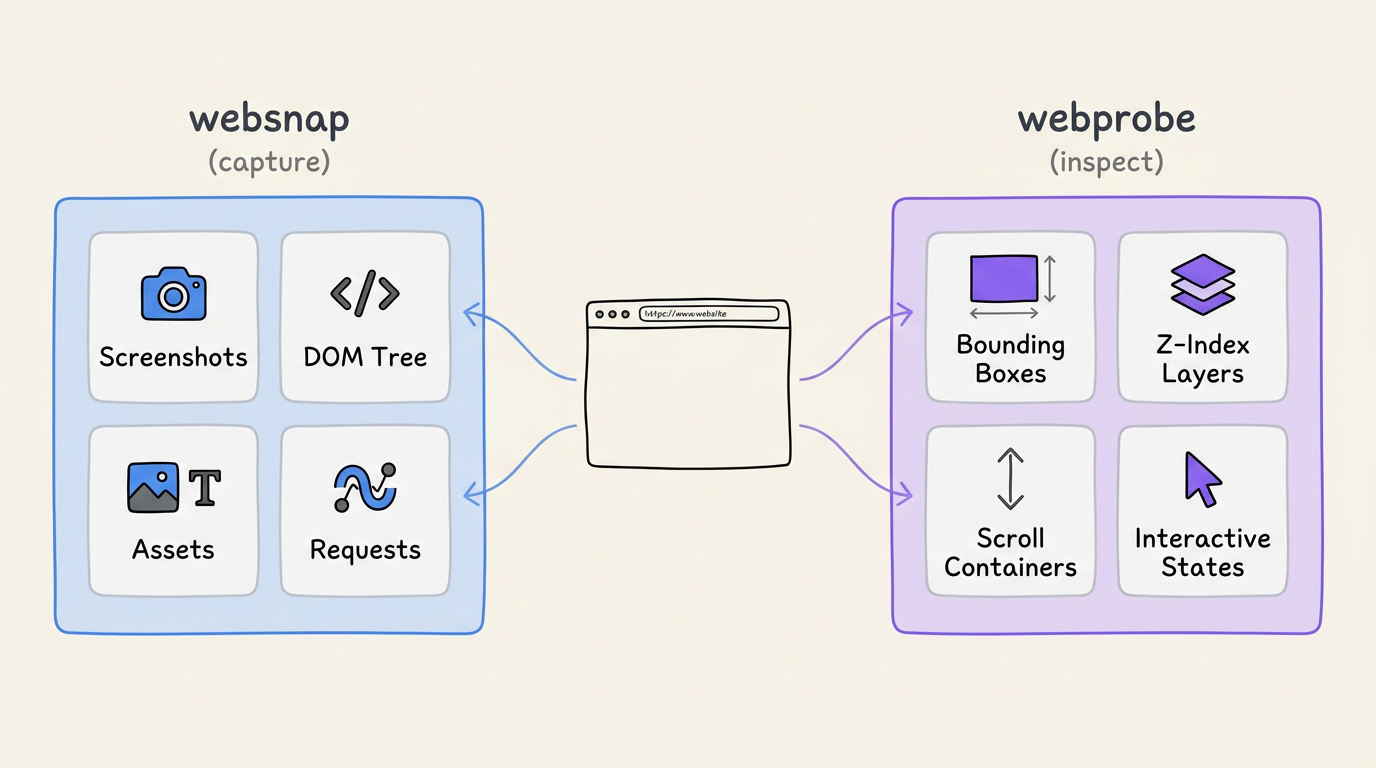
When you paste a URL into ui.rip, the first step is capture. The pipeline launches a browser, navigates to the URL, and captures:
- Full-page screenshot at multiple viewports
- Serialized DOM tree with computed styles
- All loaded assets (fonts, images, SVGs)
- Network requests and resource timings
Step 2: Inspect
Next, the inspection phase extracts metadata that isn’t available from the DOM alone:
- Bounding box coordinates for every element
- Stacking context and z-index layers
- Scroll containers and overflow behavior
- Interactive states (hover, focus, active)
Step 3: Analyze
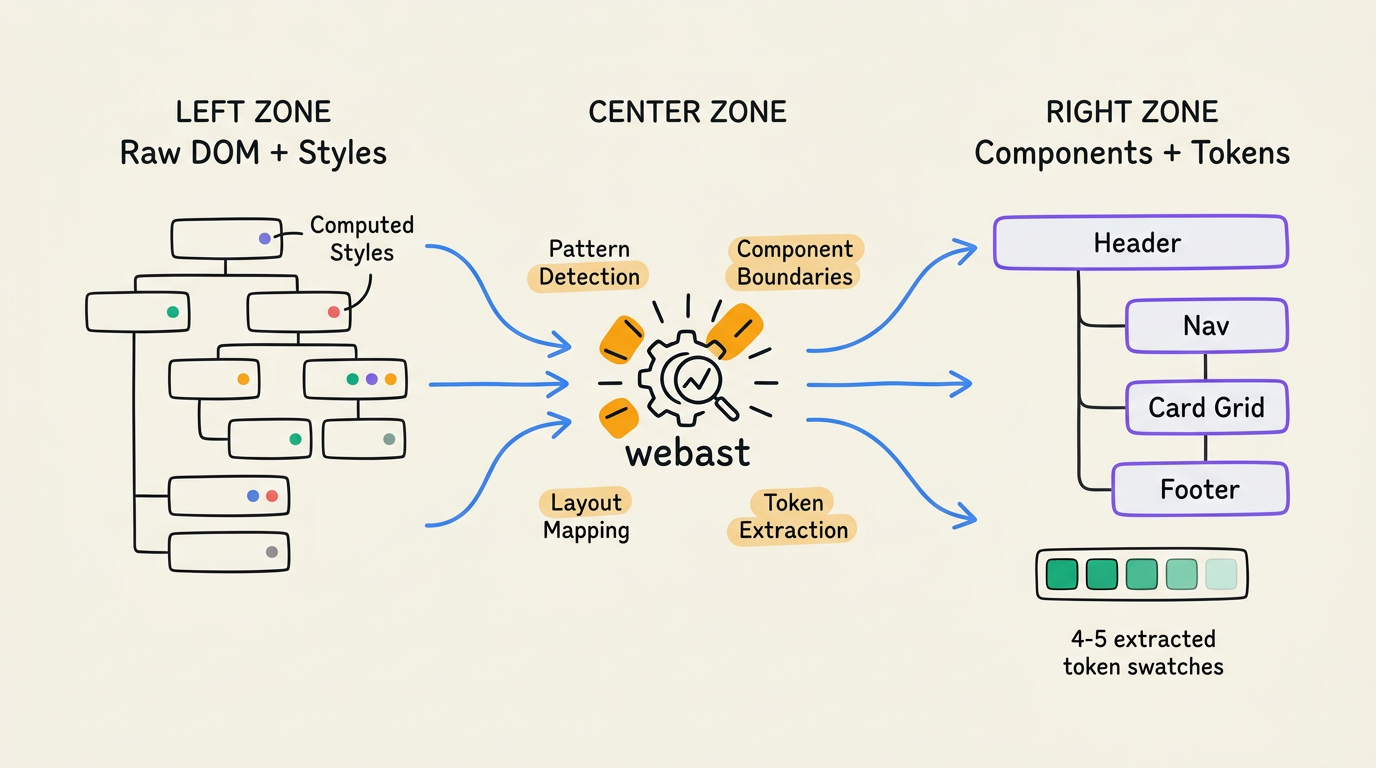
The analysis engine takes the captured data and performs static analysis:
- Identifies component boundaries based on DOM structure and style patterns
- Detects repeated patterns (list items, card grids, navigation links)
- Maps the layout hierarchy (header, main, sidebar, footer)
- Extracts the design token palette
Step 4: Generate
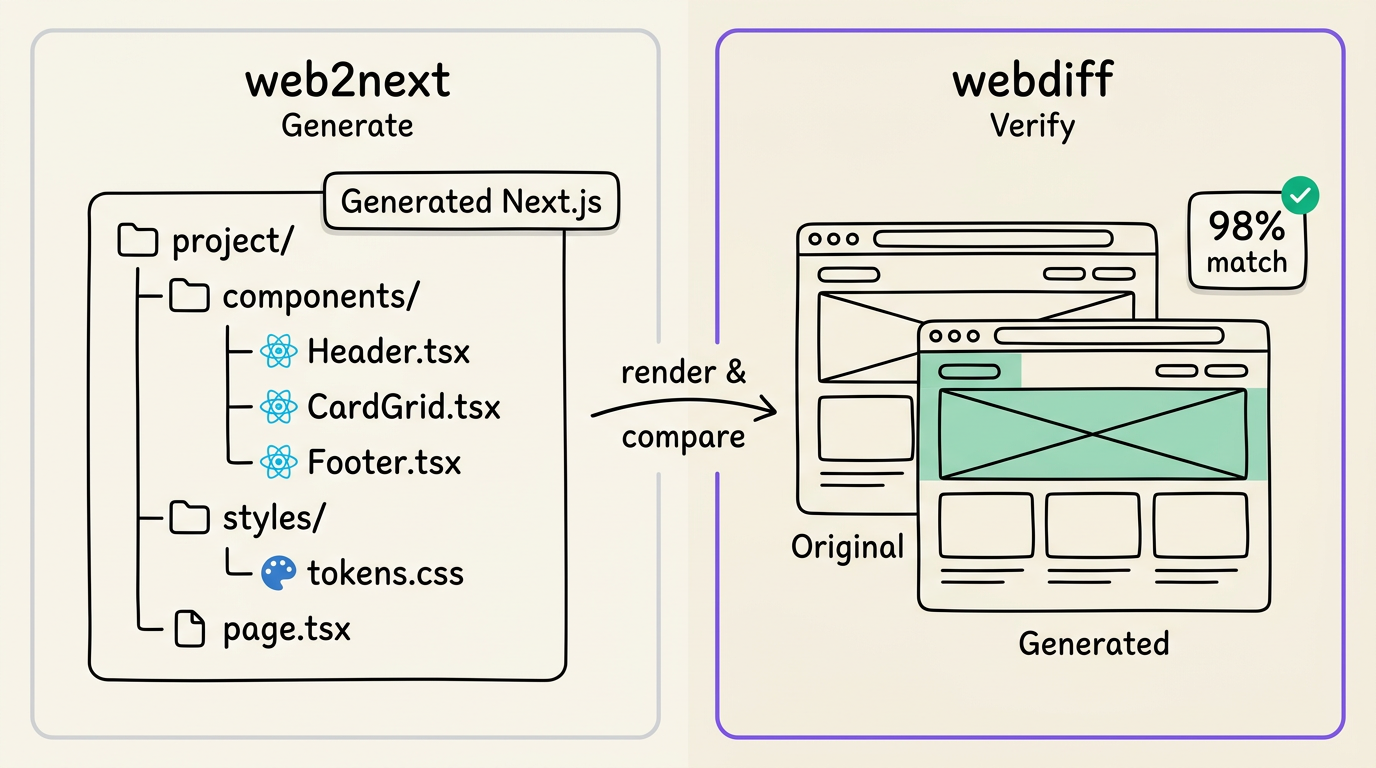
The code generation step takes the analysis output and generates a complete Next.js project:
- One component per identified boundary
- Design tokens as CSS custom properties
- Responsive styles preserved from the original
- Proper semantic HTML elements
Step 5: Verify
Finally, the verification step renders the generated project and compares it pixel-by-pixel against the original screenshots, producing a diff report with similarity scores.
The entire pipeline runs in under a minute for most sites.
FAQ
How long does a UI teardown take?
Most single-page teardowns complete in 30–60 seconds. Multi-page sites with many assets may take longer depending on the number of pages captured.
Can I run a teardown on any website?
Yes — the pipeline works with any publicly accessible website regardless of framework (React, Vue, WordPress, static HTML). It captures the rendered output, not the source code.
What do I do with the generated project?
The output is a standard Next.js project with TypeScript and Tailwind CSS. Open it in your editor, run npm install && npm run dev, and start modifying. Keep what works, change what doesn’t.
Try a teardown: ui.rip — paste any URL.
→ What is UI reverse engineering? → Convert any website to React